Notion has become the go-to tool for organization, productivity, project tracking, and even personal life management.
But as the ecosystem grows, so does the confusion: Which notion templates are actually worth using?
Which ones will genuinely improve your workflow, not just look good on screenshots?
To save your time, we curated the Top 5 Notion templates that consistently deliver real results.
This list combines:
- High user satisfaction
- Practical structure (not overly complex)
- Minimal database usage
- Easy customization
- Long-term usability
- Beginner-friendly workflows
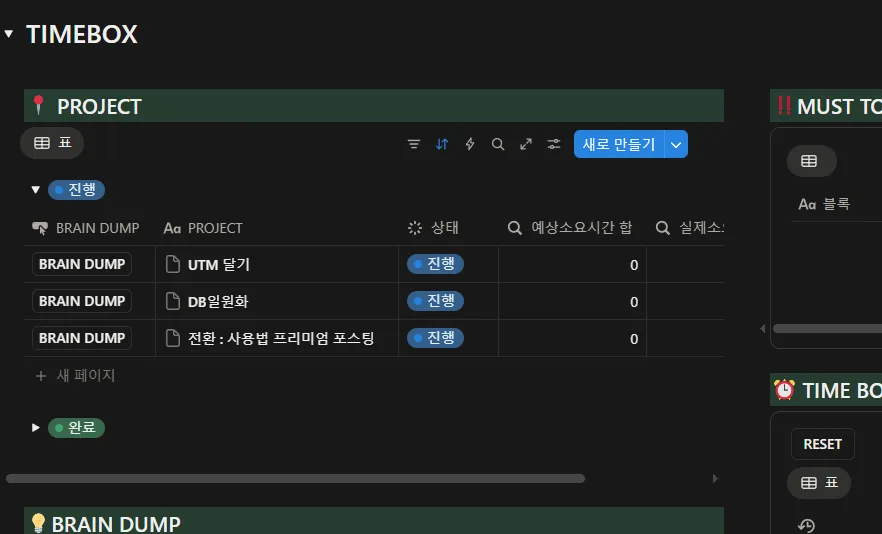
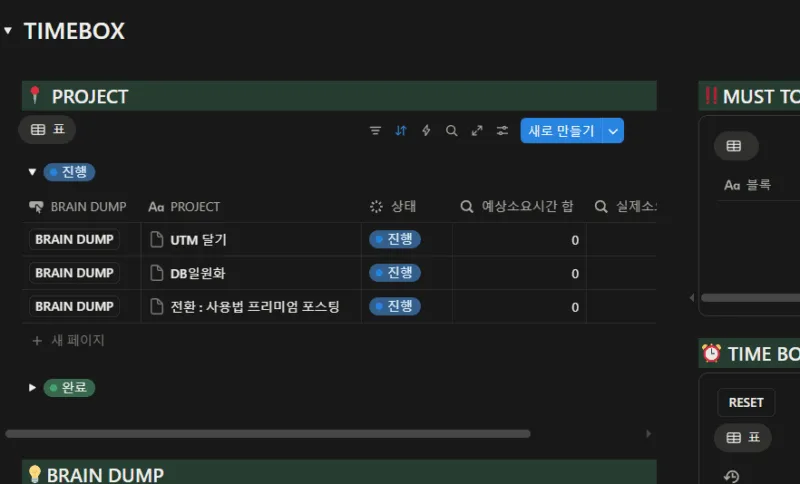
Let’s dive into the best templates you should try in 2025, with detailed breakdowns, examples, pros/cons, and use cases. first, watch this example : 노션 타임박스
1️⃣ Personal Productivity Templates
1. Ultimate Daily Planner — The Cleanest Way to Start Your Day
Most planners fail because they add unnecessary friction: too many databases, too many views, too many rules.
The Ultimate Daily Planner focuses on one thing only: keeping your day simple and clear.
What’s inside
- Daily agenda board
- Time-blocking (optional)
- Priority ranking (P1, P2, P3)
- Quick Notes section
- Daily reflection (3 prompts)
- Weekly overview page
Why it works
- No steep learning curve
- Easy to duplicate for each week
- Works with both beginners and busy professionals
- Minimal design ensures no visual clutter
Use case example
You wake up → open the dashboard → add top 3 priorities → drag tasks into time blocks → finish the day with a quick reflection.
Simple habits, strong impact.
Pros
✔ Extremely lightweight
✔ Perfect for students & freelancers
✔ Easy to mix with other templates
Cons
✘ Not ideal for complex projects
✘ Lacks long-term planning features by default
2. Second Brain Lite — Capture, Organize, and Expand Your Knowledge
A simplified PARA-based (Projects–Areas–Resources–Archive) digital brain.
Unlike full Second Brain setups that overwhelm beginners, this version keeps only what’s essential.
What’s inside
- Quick capture inbox
- Tasks linked to projects
- Long-term projects area
- Resource library (articles, videos, PDFs, notes)
- Archive system
Why it works
- Perfect balance of structure + flexibility
- Easy to scale as your life becomes more complex
- Helps reduce mental clutter
Use case example
You watch an interesting YouTube video → save it to your Resource Library → tag it → link it to an ongoing project like “Fitness,” “Startup Ideas,” or “Career Prep.”
Pros
✔ Centralized knowledge hub
✔ Great for creators, writers, researchers
✔ Ideal “foundation system” for beginners
Cons
✘ Slightly more complex than a basic planner
✘ Requires occasional maintenance
2️⃣ Work & Project Management Templates
3. Simple Project HQ — A True Minimalist Project Management System
Notion gets messy fast when project templates include 10+ databases.
Simple Project HQ fixes this with a clean 3-database structure:
- Projects
- Tasks
- Notes
What’s inside
- Kanban view for task progress
- Project overview page
- Priority + deadline tracking
- Meeting notes connected to tasks
- Progress indicator
Why it works
- No unnecessary automations
- Perfect for solo founders, agencies, small teams
- Gives you clarity at a glance
Use case example
A marketing freelancer can track:
Campaigns → Tasks → Client meetings → Deliverables
Everything is connected but never overwhelming.
Pros
✔ Super clean layout
✔ Highly customizable
✔ Easy to onboard teammates
Cons
✘ Not enough for enterprise teams
✘ No built-in timeline/roadmap unless added manually
4. Content Creator Dashboard — A Complete Publishing Workflow in One Page
If you create content on multiple platforms, this template is a must-have.
It transforms scattered ideas into a stable workflow.
What’s inside
- Content ideas board
- Script/outline templates
- Publishing checklist
- Analytics tracker
- Hashtag library
- Sponsorship CRM
- Multi-platform content calendar
Why it works
- Covers the entire cycle: idea → creation → publishing → analytics
- Cuts planning time by more than 50%
- Works for YouTube, TikTok, blogs, Instagram, and newsletters
Use case example
A YouTuber can:
Plan scripts → track upload dates → manage sponsors → monitor views → generate ideas—all from a single dashboard.
Pros
✔ Real-world workflow support
✔ Helps maintain consistency
✔ Great for solo creators or small teams
Cons
✘ Heavier than standard templates
✘ Requires initial setup for analytics
3️⃣ Life & Finance Templates
5. Smart Budget Tracker — Your Money, Finally Organized
Most budgeting templates feel like complicated spreadsheets.
Smart Budget Tracker focuses on clarity:
- Month → Income → Expenses → Categories → Summary
What’s inside
- Monthly overview
- Income/expense categories
- Graphs (if needed)
- Savings goals
- Alerts for overspending
- Expense notes (receipts, tags, screenshots)
Why it works
- Makes budgeting sustainable
- Simple enough to maintain every month
- Works well for couples or individuals
Use case example
You can track:
- Rent
- Food
- Subscriptions
- Transportation
- Savings goals
…all with automatic monthly summaries.
Pros
✔ Beginner-friendly
✔ Supports habit building
✔ Clean design & very customizable
Cons
✘ Not suitable for business financials
✘ Doesn’t include tax tracking
Extra: Why These 5 Notion Templates Work So Well (The Notion Philosophy)
1. Minimal databases = more clarity
Most users abandon templates because they are too complex.
These five rely on minimum moving parts.
2. Clear workflow = long-term habit formation
Every template supports a daily/weekly repeatable routine.
3. Easy customization = long lifespan
Nothing is locked. Beginners can adjust layouts as needed.
4. Visual + functional balance
Aesthetics matter. Clean dashboards reduce friction significantly.
Bonus Section: How to Choose the Right Template for YOU (how to choose templates in notion for beginners)
Choose based on your instant need
- Want to manage your day? → Daily Planner
- Want to organize your mind? → Second Brain Lite
- Want to manage work? → Project HQ
- Want to publish content? → Creator Dashboard
- Want to save money? → Budget Tracker
Choose based on your personality
- “I want simple.” → Daily Planner / Project HQ
- “I want organized knowledge.” → Second Brain Lite
- “I want to scale my digital workflow.” → Creator Dashboard
Final Thoughts
Choosing the right template can dramatically transform the way you work, learn, and create.
But the best templates are always the ones that are simple, flexible, and built for real life — not just aesthetic screenshots.