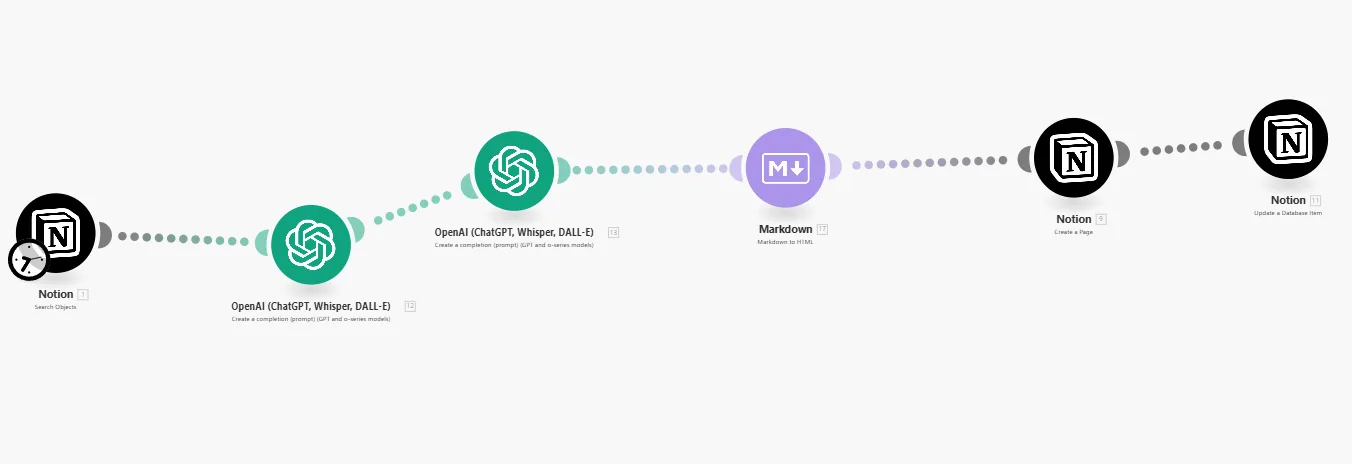
Want to save hours of manual work? Learn how to integrate Notion with Make or zapier to automate tasks, sync data, and boost your productivity instantly.
Notion is already one of the most powerful productivity tools available — but when you combine it with automation platforms like Zapier or Make.com (formerly Integromat), it becomes unstoppable. Imagine automatically adding new tasks, syncing Google Calendar events, or receiving Slack updates, all triggered by your Notion database. That’s the power of automation.
⚙️ Why Integrate Notion with Make or Zapier (Automation Tools)
Notion doesn’t have built-in automation for every use case. By integrating with automation platforms, you can connect it with over 5,000 apps and services. Here’s why it matters:
- Save time – Stop doing repetitive updates manually.
- Keep data consistent – Sync information between tools automatically.
- Boost productivity – Let Notion handle the background tasks while you focus on the real work.
🔗 Popular Zapier Integrations for Notion
Zapier is perfect for quick, no-code automation. Some of the most popular Zaps include:
- Automatically add new Google Calendar events to Notion
- Create Notion tasks when a new email arrives in Gmail
- Save new form submissions (Typeform, Google Forms) directly into a Notion database
- Sync completed tasks from Notion to your to-do app
Each integration is easy to set up — just connect your Notion account, choose a trigger, and define the action.
🤖 What You Can Do with Make.com (Integromat)
If you want deeper customization or multi-step workflows, Make.com is a better option. Unlike Zapier’s linear setup, Make lets you build complex automation flows visually.
- Connect Notion with multiple apps in one scenario
- Schedule batch updates to your Notion database
- Combine logic filters, routers, and loops for advanced automation
For example, you can collect data from forms, clean it automatically, and insert it into Notion — all without lifting a finger.
🚀 Start with a Ready-to-Use Automation Dashboard
To make things easier, you can start with a pre-built dashboard that shows how automation fits into your Notion system. You can find free and customizable setups at 노션 무료 템플릿 공유 사이트 — designed for seamless integration with Zapier and Make.com. Duplicate it, connect your tools, and start automating today.
💡 Final Thoughts
Integrating Notion with Zapier or Make.com is like hiring a digital assistant that never sleeps. Once you set it up, repetitive work disappears, and your workflow runs on autopilot. Start small — automate one process — and you’ll quickly see how powerful Notion becomes when automation joins the game.