Notion has evolved far beyond being just a note-taking app — it’s now a flexible workspace that powers entire workflows.
With the release of the Notion API, creators, teams, and developers can now automate repetitive tasks, connect external tools, and turn Notion into a true productivity hub.
In this post, we’ll explore how to use the Notion API and automation tools — from beginner-friendly setups to advanced integrations — so you can build your own connected system.
🚀 Why Notion Automation Matters in 2025
As teams rely on Notion for everything from project management to documentation, the need for automated synchronization grows.
Instead of manually updating multiple apps, automation lets you:
- Sync Notion with Google Sheets or Airtable
- Trigger Slack notifications for new tasks
- Auto-publish blog content from Notion databases
Automation isn’t just about convenience — it creates consistency, prevents errors, and saves hours every week.
🧩 Getting Started: Understanding the Notion API
The Notion API provides developers with secure, REST-based endpoints that allow interaction with any Notion workspace.
Here’s what you need to know to start:
- Create an Integration
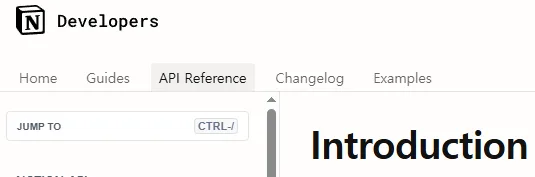
Go to Notion Developers and create a new integration.
This gives you an internal integration token (API key). - Share Your Database
Open your Notion page → “Share” → Invite your integration → Done. - Test the API
Usecurlor Postman to fetch data:
curl 'https://api.notion.com/v1/databases/{database_id}/query' \ -H 'Authorization: Bearer YOUR_API_KEY' \ -H 'Notion-Version: 2022-06-28'
💡 Pro tip: All Notion API data is returned as JSON.
You can filter, sort, and format that data before sending it to other apps.
🧠 No-Code Automations: Make (Integromat), Zapier & Pipedream
Not a developer? No worries.
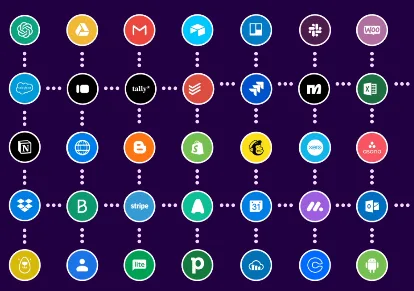
You can still create powerful automations using no-code tools like Make, Zapier, or Pipedream.
| Platform | Ease of Use | Cost | Flexibility | Ideal For |
|---|---|---|---|---|
| Make.com | ⭐⭐⭐⭐ | 💰 Affordable | High | Visual workflows |
| Zapier | ⭐⭐⭐ | 💸 Expensive | Medium | Quick setups |
| Pipedream | ⭐⭐ | 💸 Free tier | Very High | Developers |
Example Workflow
- Trigger: A new task is added in Notion
- Action: Send a Slack message → Create a Google Calendar event
- Result: Instant updates across tools — no manual copying needed.
🔄 Intermediate Use Cases: Syncing Notion with External Apps
Once you’ve built simple workflows, it’s time to connect systems at scale.
Here are some real-world integrations:
- Notion ↔ Google Sheets Sync
- Track project progress in both Notion and Sheets.
- Schedule automatic hourly updates via Make.com.
- Notion → WordPress Auto-Publishing
- Write your blog post in Notion.
- Use Zapier or custom scripts to publish to WordPress automatically.
- Notion ↔ Airtable Dashboard
- Combine Notion’s flexibility with Airtable’s analytics power.
- Ideal for teams tracking performance metrics or campaign data.
💻 Advanced Level: Using the Notion API Directly
For advanced users, direct API scripting offers full control and custom flexibility.
Here’s a simple Python example to update a Notion database item automatically:
import requests

url = "https://api.notion.com/v1/pages/{page_id}"
headers = {
    "Authorization": "Bearer YOUR_TOKEN",
    "Notion-Version": "2022-06-28",
    "Content-Type": "application/json"
}
data = {
    "properties": {
        "Status": {"select": {"name": "Completed"}}
    }
}
response = requests.patch(url, headers=headers, json=data)
print(response.status_code)
This type of automation is perfect for syncing data from CRMs, time trackers, or custom dashboards.
🧩 Combine It All: Build Your Own Connected System
The real power of Notion automation comes from mixing no-code and code-based workflows.
For example:
- Use Make.com for easy triggers and actions.
- Use the Notion API for deeper, conditional logic.
- Store everything inside Notion databases — your central hub.
Once this structure is in place, Notion becomes your second operating system — not just a workspace.
🔗 Useful Resources & Templates
- Official Notion API Documenthttps://developers.notion.comation
- Make.com Notion Integrations
- Notion Automation Examples (Zapier)
- 👉 Try 노션 무료 템플릿 on NotionFaker.kr
✅ Final Thoughts
Automation gives Notion a whole new purpose — transforming it from a static note space into a dynamic productivity system.
Whether you’re building a no-code workflow or a full-fledged API connection, start small, automate one thing, and scale up.
Soon, you won’t just use Notion — you’ll have it working for you.